
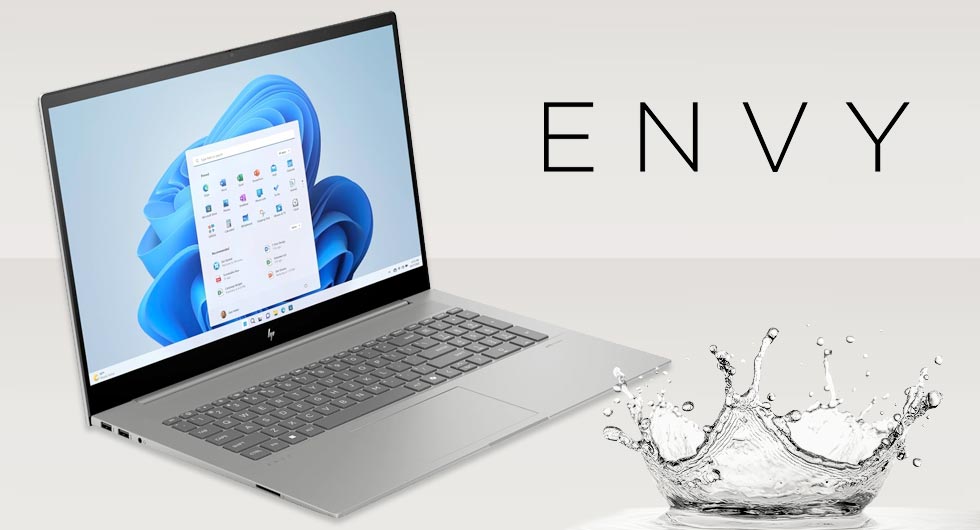
Liquid damage can be one of the most disruptive issues for any laptop, particularly with premium models like the HP Envy 17-CW0500SA. In this case, the device arrived with clear signs of internal contamination after a spill, affecting multiple components and preventing normal operation. Despite the severity, a structured cleaning process allowed us to bring the system back to full working condition.
Initial Assessment of the HP Envy 17-CW0500SA
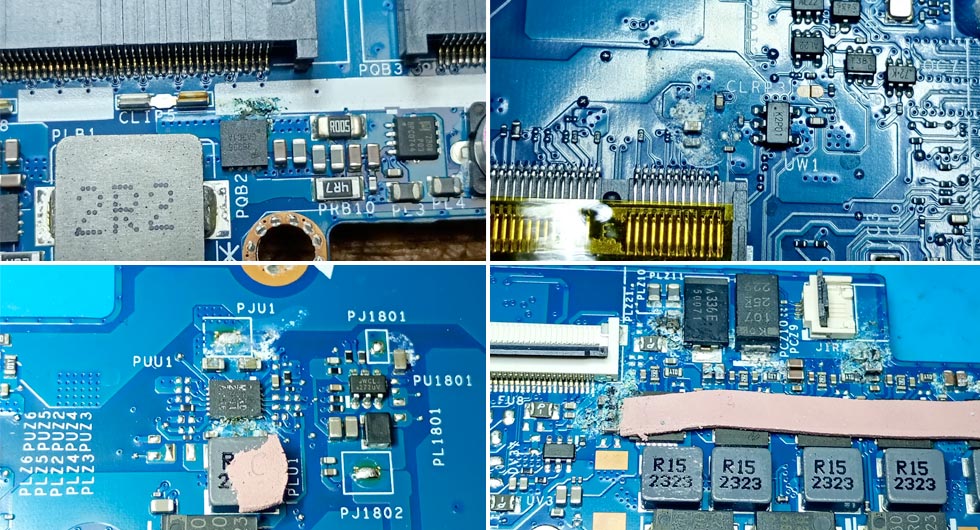
Upon inspection, the laptop showed typical indicators of liquid ingress. These included residue on the motherboard, corrosion around connectors, and inconsistent power behaviour. Liquid damage rarely affects just one area, and this device was no exception, with contamination spreading across several key circuits.
Common Symptoms Observed
- Device failing to power on consistently
- Visible residue and corrosion on internal components
- Keyboard and trackpad irregularities
- Intermittent charging issues
This type of damage requires more than surface-level cleaning, as unseen residue can continue to degrade components over time.
Deep Cleaning and Restoration Process
To properly address the issue, the laptop was fully disassembled, allowing access to all affected areas. Each stage of the cleaning process was carried out with precision to ensure no contaminants were left behind.
Multi-Stage Cleaning Approach
- Careful removal of surface residue using specialist cleaning solutions
- Targeted treatment of corrosion on delicate circuitry
- Inspection and cleaning of connectors and power delivery components
- Final deep clean using an ultrasonic bath
The ultrasonic cleaning stage is particularly effective, as it uses high-frequency vibrations to remove microscopic debris from areas that cannot be reached manually. This ensures a far more thorough result compared to traditional cleaning alone.
Why Ultrasonic Cleaning Makes a Difference
Ultrasonic cleaning plays a key role in restoring liquid damaged electronics. It allows for:
- Removal of hidden contaminants beneath chips and connectors
- Reduced risk of ongoing corrosion
- Improved reliability after repair
- Restoration of components that might otherwise be considered beyond saving
For devices like the HP Envy 17, where performance and reliability are essential, this level of cleaning can make the difference between replacement and recovery.
Final Testing and Results
After reassembly, the HP Envy 17-CW0500SA was subjected to full diagnostic testing. This included power stability checks, component functionality, and system performance validation. The results confirmed that the device was operating as expected, with no remaining faults linked to the original liquid damage.
Outcome
- Stable power and charging functionality restored
- All major components functioning correctly
- No residual corrosion affecting performance
- Device returned to full usability
Preventing Future Liquid Damage Issues
While accidents cannot always be avoided, there are simple measures that can help reduce risk:
- Keep liquids away from workspaces where possible
- Use protective covers or keyboard skins
- Act quickly if a spill occurs by powering down the device
- Seek professional assessment before attempting to use the device again
Liquid damage does not always mean the end of a device. With the right tools and processes, even heavily affected laptops like the Hewlett Packard Envy 17 can be successfully restored to full working order. Have you damaged your laptop? Need help with a laptop repair? Why not give us a call and see how we can help you.