
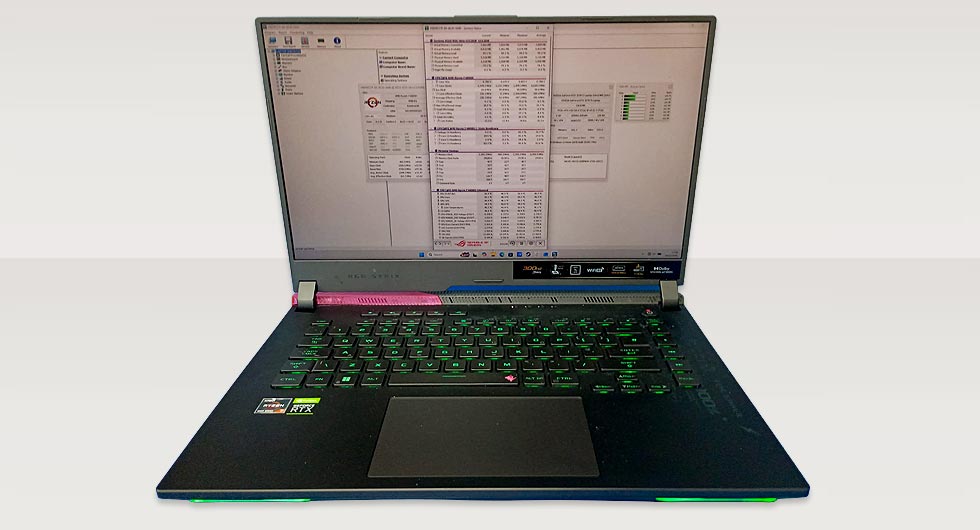
High-performance gaming laptops like the Asus Rog G513R are built to handle demanding workloads, but thermal management is critical. A recent repair involved a Asus Rog G513R overheating badly, with noticeable hot spots forming around the processor while the graphics chip remained relatively stable.
Initial Symptoms and Diagnosis
The customer reported:
- Excessive fan noise even under light load
- Sudden thermal throttling during gaming
- Noticeable heat concentrated near the CPU area
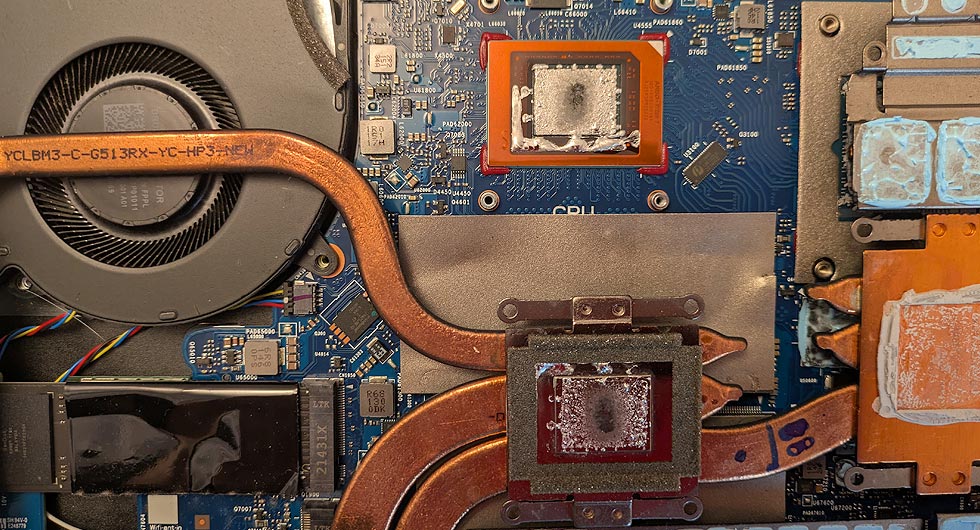
Upon inspection, it became clear that the issue wasn’t general cooling failure, but rather uneven heat transfer. The GPU still had effective thermal contact, while the CPU area showed signs of degraded or poorly distributed liquid metal.
Liquid Metal Breakdown and Hot Spots
Liquid metal is often used in high-end laptops for its superior thermal conductivity compared to standard compounds like Thermal paste. However, it requires precise application. Over time, it can shift, oxidise, or thin out, leading to uneven coverage.
In this case, the CPU die had developed a hotspot due to insufficient contact with the heatsink. This resulted in rapid temperature spikes despite the cooling system functioning correctly overall.
Repair Process Undertaken
To resolve the overheating, a careful disassembly and thermal restoration process was carried out:
- Removal of the heatsink assembly
- Cleaning off old liquid metal from both CPU die and heatsink plate
- Inspection for residue, oxidation, or surface inconsistencies
- Controlled reapplication of liquid metal to ensure even spread
- Application of high-quality thermal paste to the GPU
- Reassembly and pressure balancing of the heatsink
Special attention was given to ensuring the liquid metal was evenly distributed, avoiding excess that could lead to spillage or insufficient coverage that could recreate hotspots.
Results After Thermal Restoration
Once reassembled, the Asus Rog G513R overheating problem showed immediate improvements:
- Significantly reduced CPU temperatures under load
- Stable performance with no thermal throttling
- Balanced heat distribution across CPU and GPU
- Reduced fan noise due to improved efficiency
The laptop repair restored the cooling performance to expected levels, demonstrating how critical correct thermal interface application is in modern gaming systems.
Why This Issue Occurs in Gaming Laptops
Thin chassis designs and high-performance components create tight thermal tolerances. Liquid metal, while effective, is less forgiving than traditional compounds. Even slight inconsistencies in application can lead to noticeable performance issues.
This case highlights the importance of:
- Proper thermal material handling
- Even mounting pressure across heatsinks
- Periodic inspection in high-use systems
For devices like the Asus Rog G513R, maintaining optimal thermal performance is essential not just for comfort, but for protecting internal components and ensuring long-term reliability.